
Enable Customer accounts
-
Go to Shopify Admin
Log in to your Shopify admin panel at https://admin.shopify.com -
Navigate to Settings
Bottom-left corner → Click "Settings" -
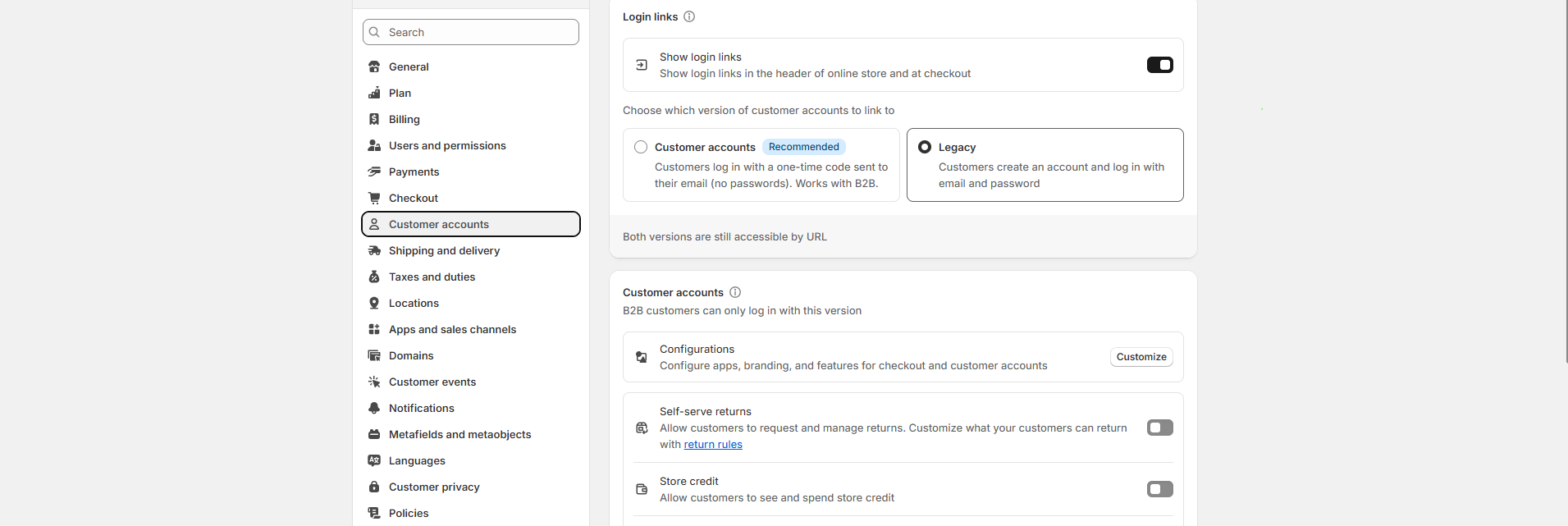
Select ‘Customer accounts’
From the settings menu, click on “Customer accounts” (may also appear under "Checkout" in some themes or older versions). -
Choose Account Experience
You’ll see two types:- Customer accounts – Customers sign in with a one-time code sent to their email (no passwords). Works with B2B.
- Legacy – Customers create an account and sign in with email and password
-
Click Save
Don’t forget to hit “Save” at the top or bottom of the page.
F.A.Q.
How do customers create an account
on store?
Enable customer accounts in Shopify settings, and a signup option will appear.
Can I make customer accounts
optional?
Yes, go to Settings → Checkout → Set accounts to "Optional."