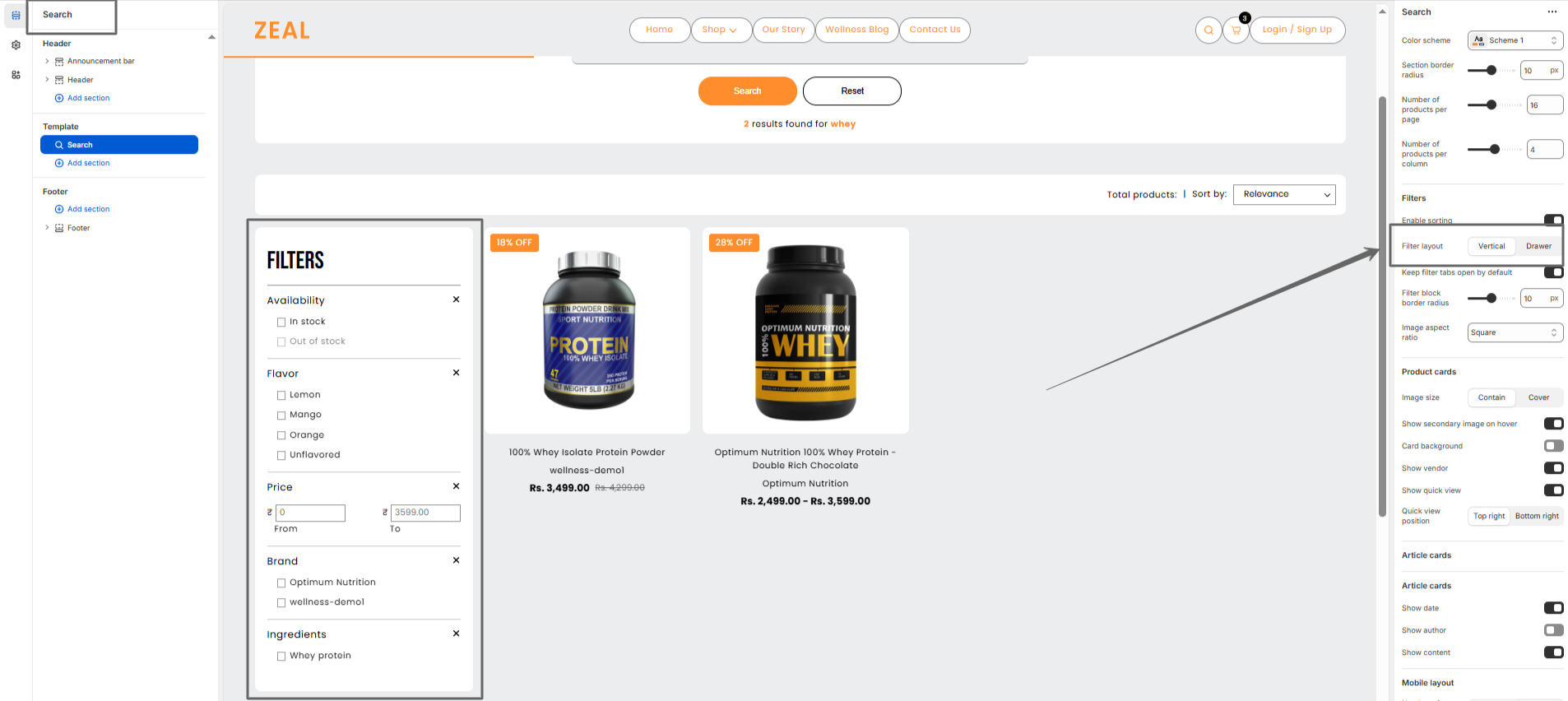
Search Page
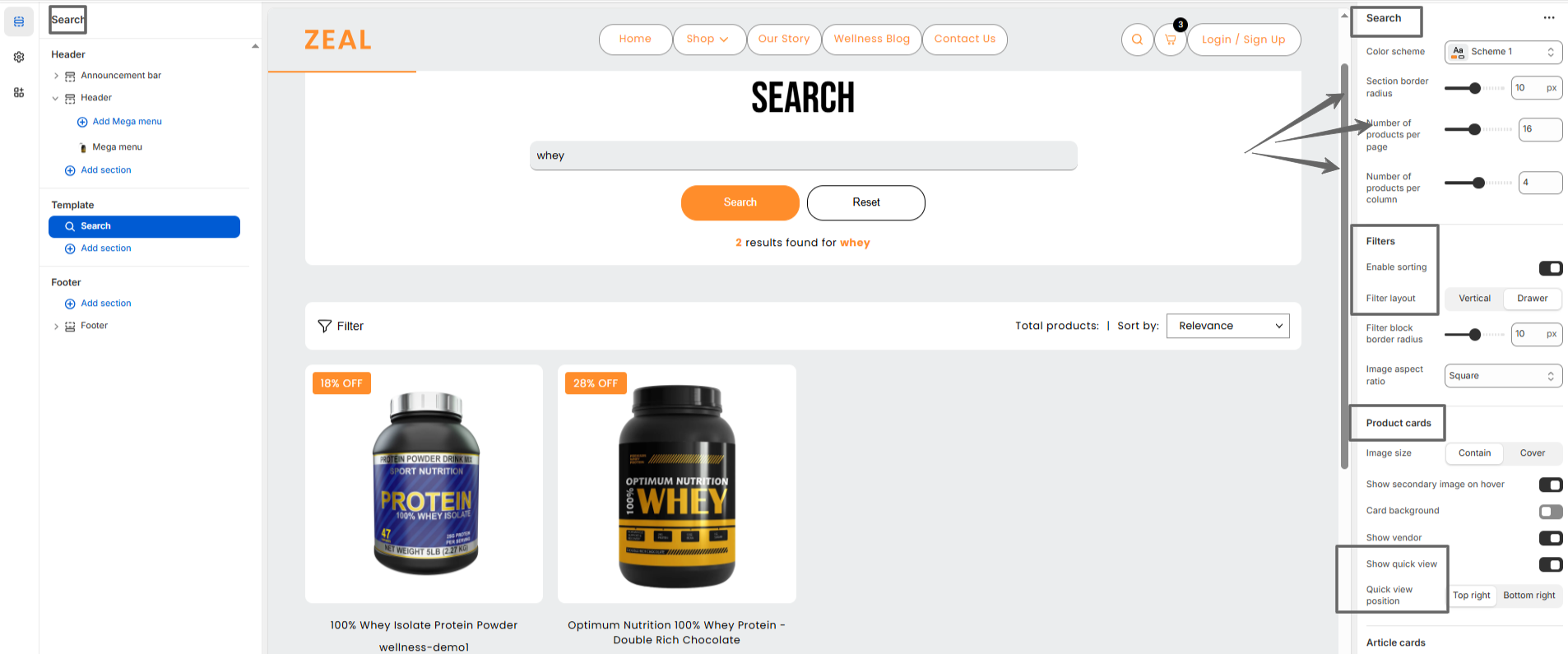
Zeal’s Search page lets you control the number of products per page and the number of products
per column.
You can also configure filters, filter layout, product card settings, quick view, and quick view
position.
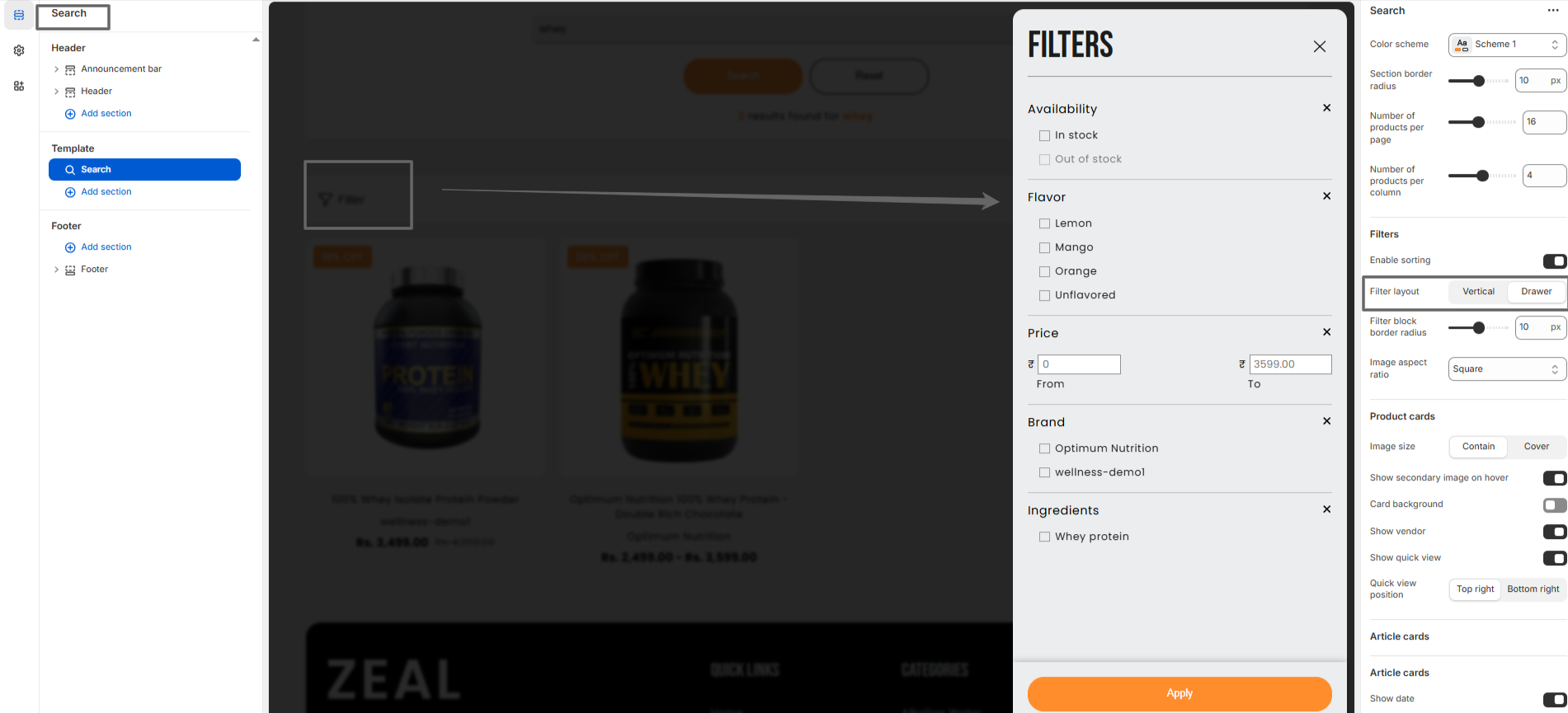
The Filter Layout setting on the search page allows you to adjust the product filter layout. You
can set it to vertical or drawer.
Click on the Filter button to open filter drawer
Vertical filter layout